Beginner
Managing devices and licences
Check your seats, change roles, reuse learner seats, pair headsets for users, and track activity.
01How many accounts you have
Check your seats
Your subscription includes seats for four roles: learners, trainers, admins, and observers.
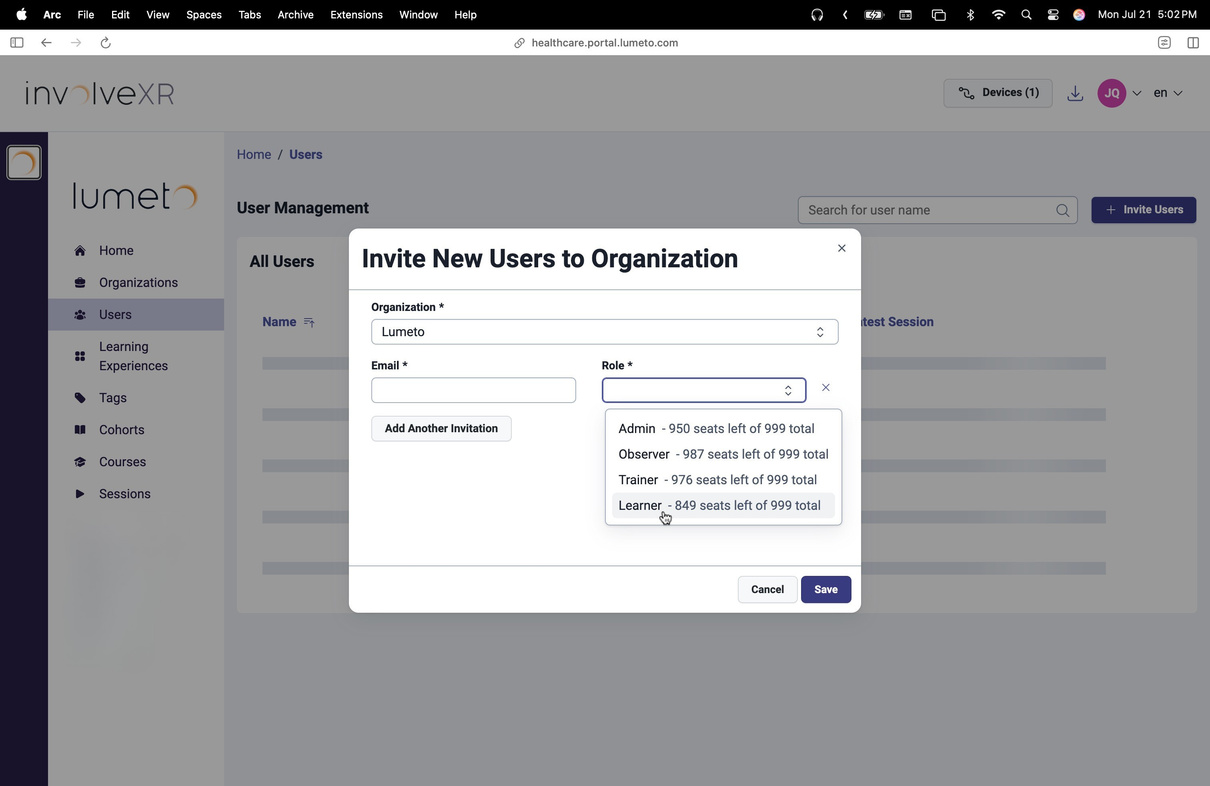
- Open Invite New Users in the Web Portal.
- Open the Role dropdown.
- You'll see how many seats are included and how many are used.
02Change someone's role
Any time
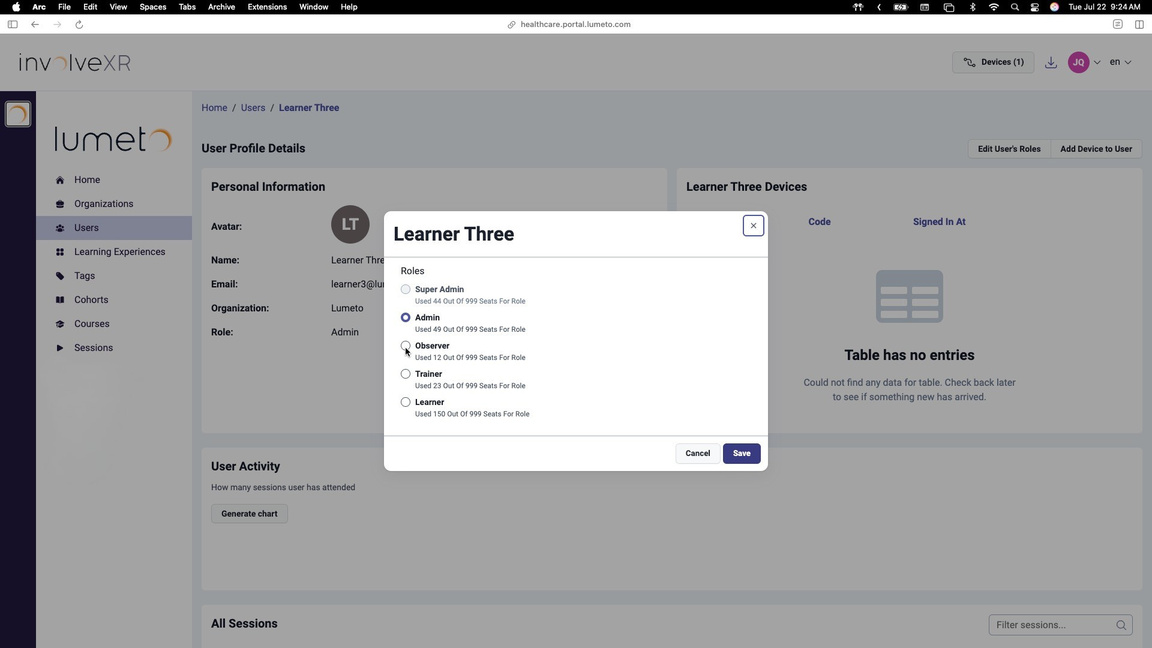
- Go to the Users tab.
- Search for the user and open their profile.
- Select Edit User's Role at the top right.
- Choose the new role and select Save.
ℹ️
Inviting new people?
03Reuse learner seats
Seats move with your cohorts
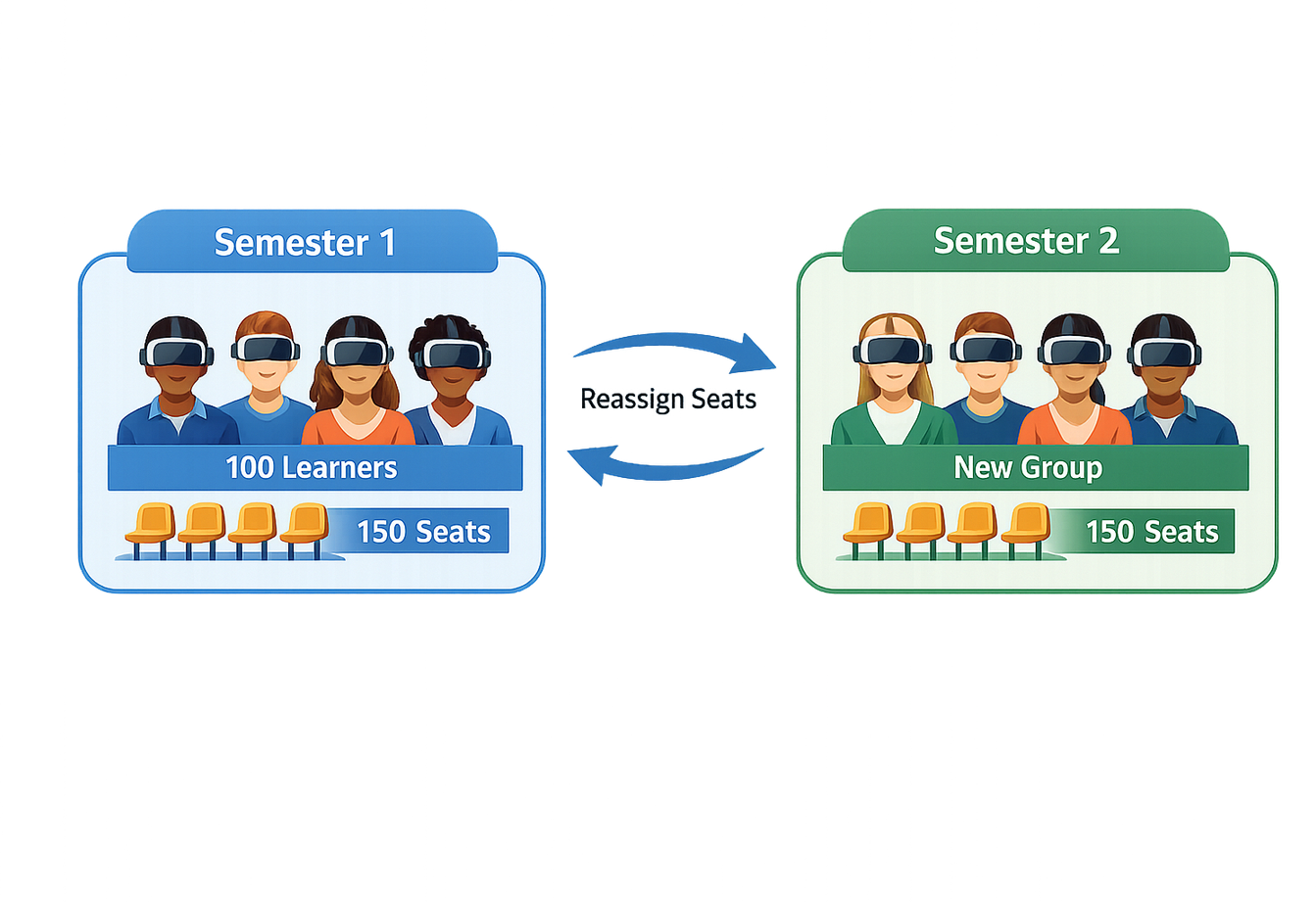
Learner seats aren't tied to one person. Rotate them between terms or cohorts, such as one group this semester and a new group next semester, so no licence goes unused.
When you're ready to switch learners, contact your Lumeto Product Specialist and we'll reassign the seats.
04Pair a headset for a user
Admins and trainers can do this
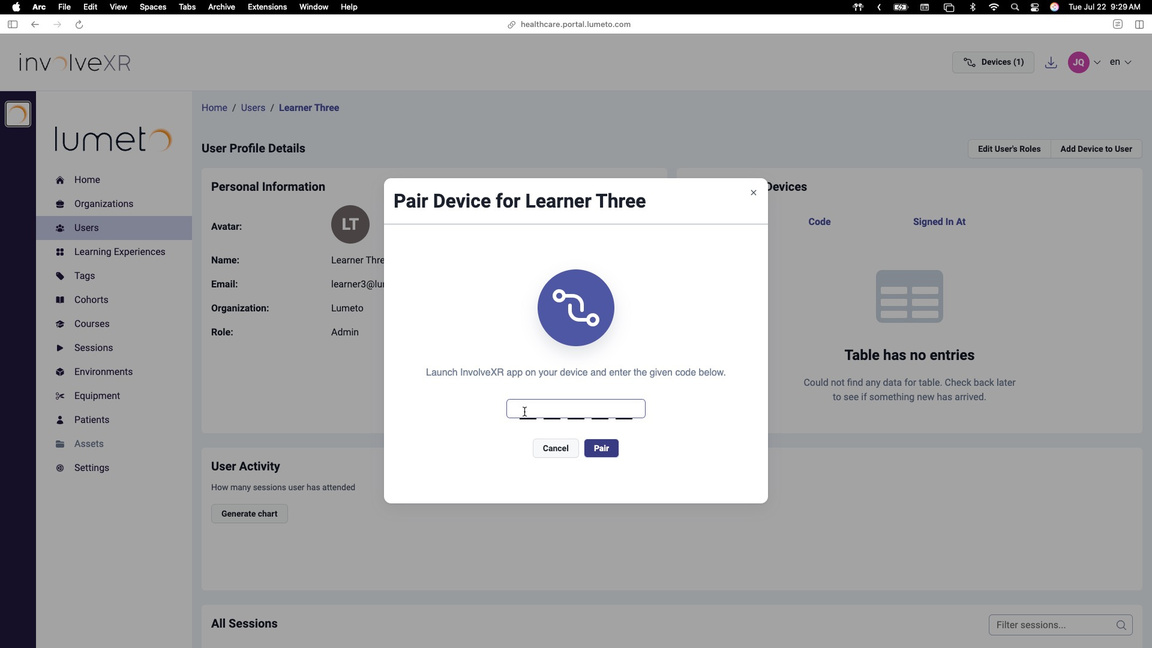
- Go to Users and open the learner's profile.
- Select Add Device to User at the top right.
- Launch InvolveXR on the headset to get the pairing code.
- Enter the code and select Pair.
05Review a user's activity
On the user's profile
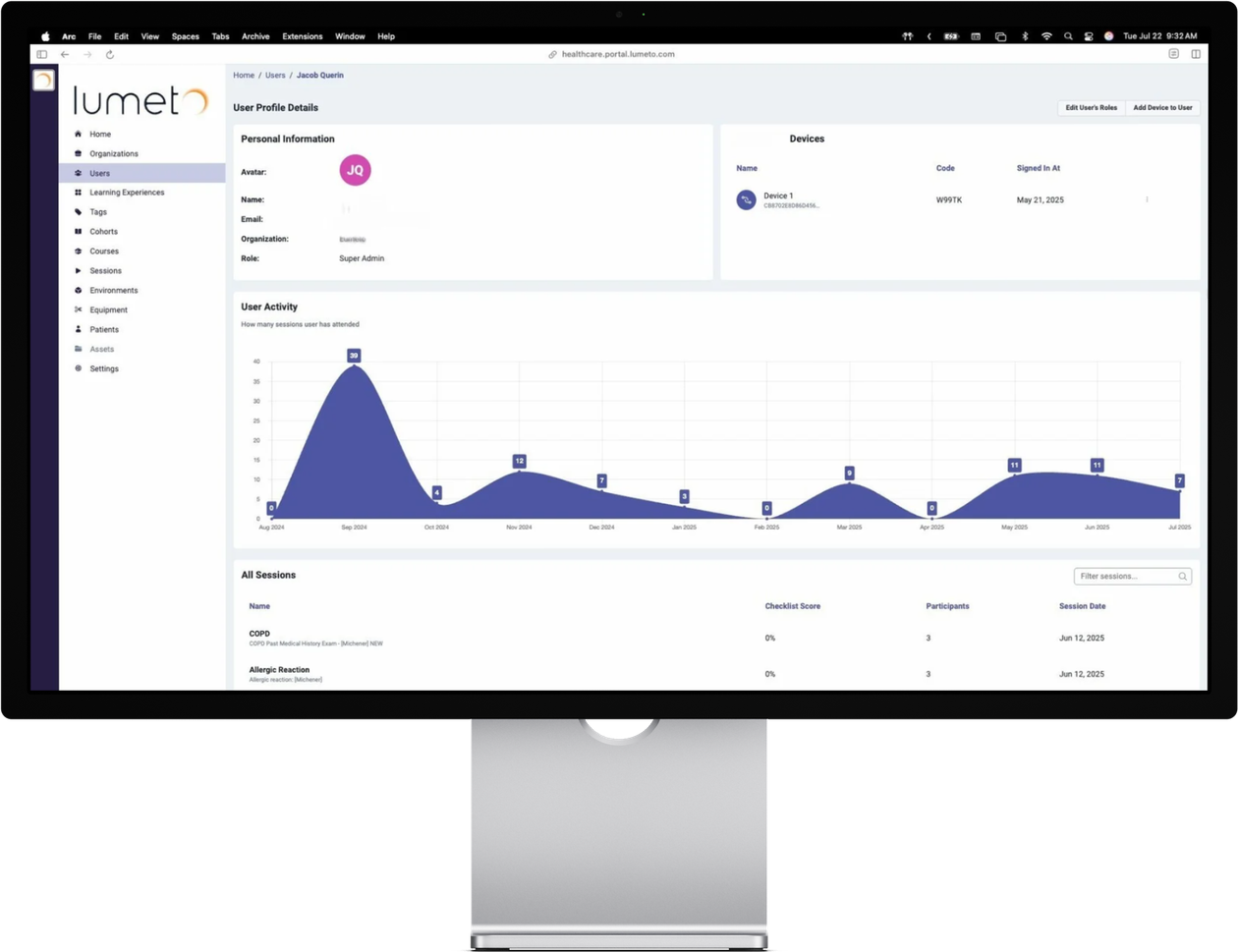
Devices
Which headsets are paired, with device names and pairing dates.
Last access
When they last joined a session.
Sessions
A chart and full list of their sessions, with results for each.
Use this to
- Track usage
- Spot inactive devices
- Manage turnover between VR stations
🔑
Your seats are under control.
Run your first live session.
-1.png?width=150&height=66&name=Lumeto%20Logo%20Reverse%20Transparent%20(1)-1.png)