Beginner
Video tutorials
Master InvolveXR skills
Learn essential VR skills. Watch step-by-step videos to master common nursing tasks in virtual reality.
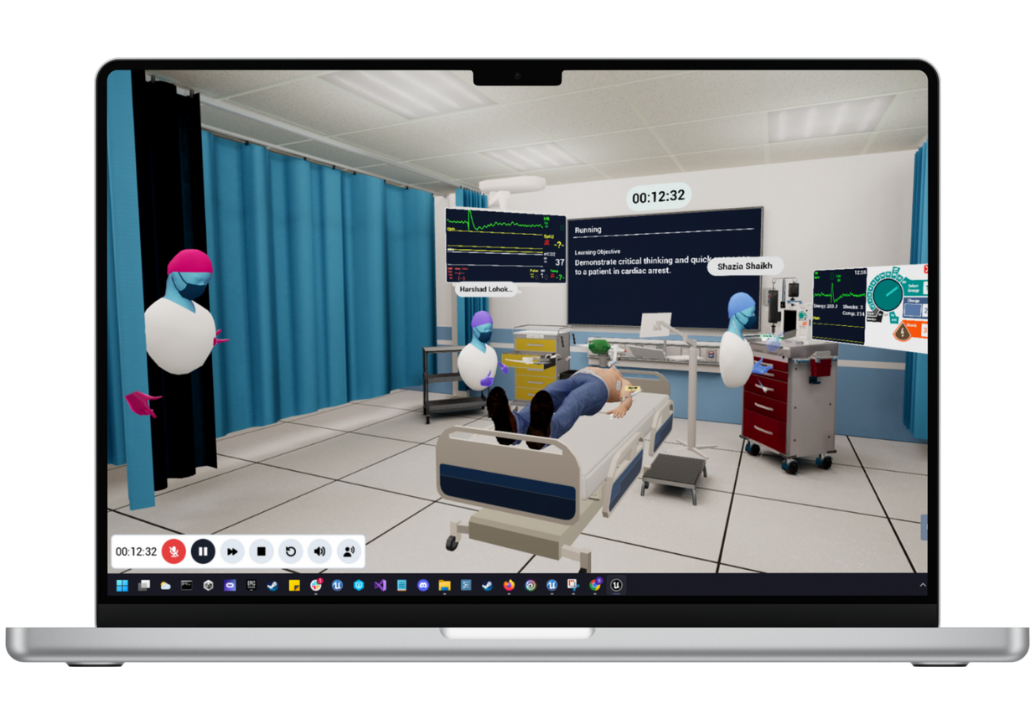
These five onboarding videos walk you through the core VR skills, from moving around the room to running a full case. Watch each video, then join the matching lesson in Self-Directed Lessons to practise. Work through them in order the first time.
Jump to a skill
01
Movement
Learn to move around VR and interact with objects.
- Navigate VR using teleportation and interact with objects.
- Follow the session instructions by listening carefully.
- Watch the video, then select Onboarding 1 - Movement in Self-Directed Lessons to start.
Watch: Onboarding 1 - Movement
02
Speaking with patients
Talk to your patients using the right controller.
- Press the B button on the right controller to speak with patients.
- Watch the video, then open Onboarding 2 - Speaking with Patients in Self-Directed Lessons.
- Press Start on the message board to activate the checklist.
- To scroll, point at the message board at the back of the room, press your index finger down, and move your hand up or down, like on a phone.
- Press End Lesson on the message board once you are done.
Watch: Onboarding 2 - Speaking with Patients
03
Patient interactions
Care for your patient
Assess your patient and handle objects with your hands. Grab an item when it turns blue, and hold the stethoscope bell to auscultate.
.png)
- Watch the video, then join Onboarding 3 - Patient Interactions in Self-Directed Lessons.
- Press Start on the message board to activate the checklist.
- Complete all the checklist tasks.
- To grab an item, press and hold your middle finger when the object turns blue. Either hand works.
- Hold the bell of the stethoscope against the patient to auscultate.
- Press End Lesson on the message board once you are done.
Watch: Onboarding 3 - Patient Interactions
04
Medication delivery
Give oral medication to your patient.
- Watch the video, then join Onboarding 4 - Medication Delivery in Self-Directed Lessons.
- Press Start on the message board to activate the checklist.
- Complete the checklist tasks.
- Give oral medication by placing the medication cup, then the water, in the patient's left hand.
- Press End Lesson on the message board once you are done.
Watch: Onboarding 4 - Medication Delivery
05
Putting it all together
Bring every skill together in a full case. Follow the same steps as before to join the lesson, complete the case, then review your results.
- Join Onboarding 5 - Putting it Together in Self-Directed Lessons.
- Press Start on the message board to activate the checklist.
- Complete the checklist tasks.
- Press End Lesson on the message board once you are done to review your score.
- Retake the session if you score 85% or lower on the checklist.
⚠️
Warning
You need to score higher than 85% to pass this final lesson. If you score lower, review your results and retake the session.
Watch: Onboarding 5 - Putting it all Together
🎉
You have the basics
You have worked through the five onboarding skills. From here, join a full learning experience and put them into practice.
Continue learning
Completing a learning experience
-1.png?width=150&height=66&name=Lumeto%20Logo%20Reverse%20Transparent%20(1)-1.png)