Distributor Hub
Marketing materials
The InvolveXR brochure, videos, logos, brand colours and fonts, ready to use. Use them as they are, or build your own local materials with the specs below.
01InvolveXR brochure
Our core leave-behind for meetings, conferences and site visits. It comes in two sizes with the same design. Pick a size and download the file you need.
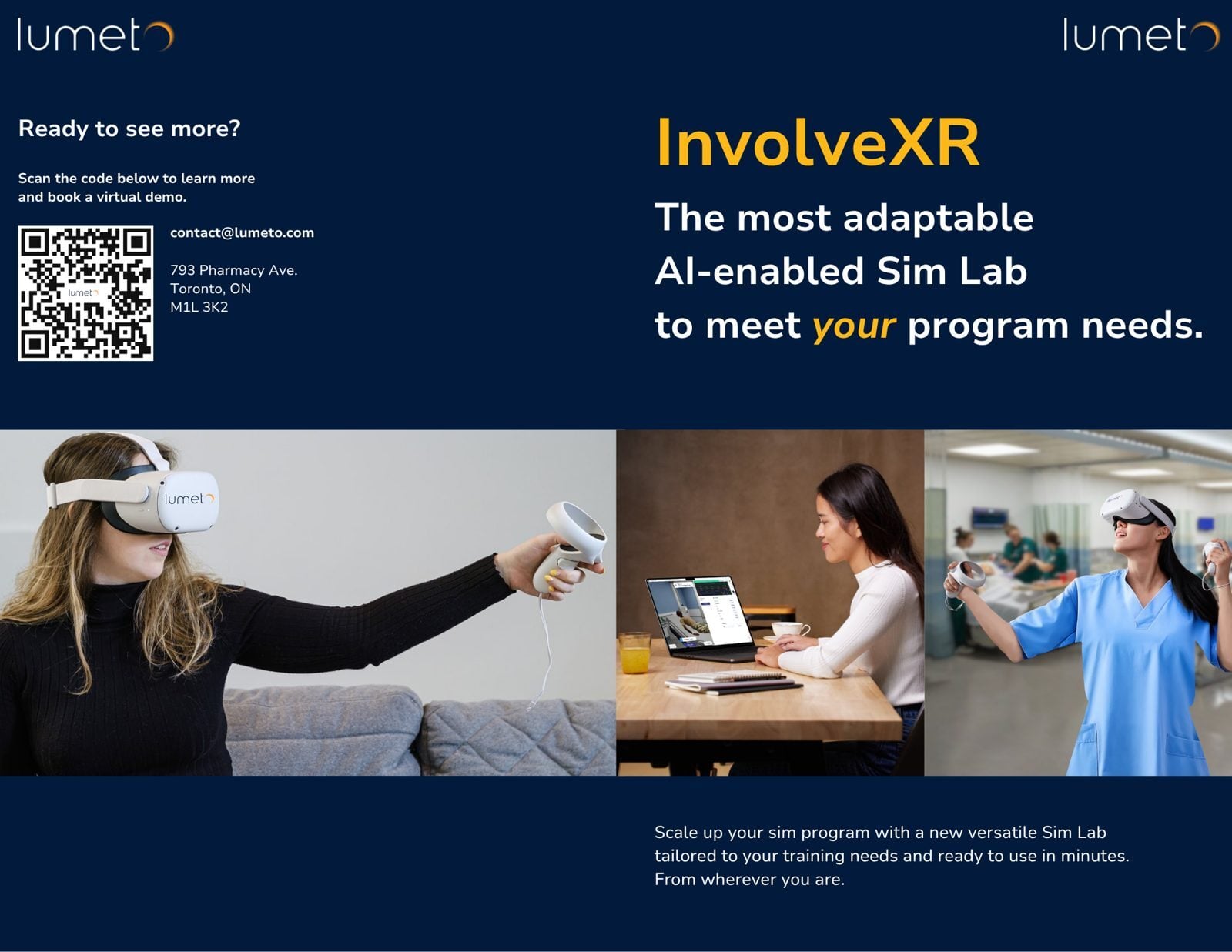

Large
17.25 x 11.25 in flat, folds to 8.625 x 11.25 in. For conference tables and premium print runs.
🖨️
Which file do I send?
Send the print-ready PDF to your printer. It has 0.125 in bleed on every edge and crop marks, so nothing gets trimmed off. Use the digital PDF for email, WhatsApp and screens.
💡
Printer notes
Print double-sided, flip on the short edge, then fold in half. A coated silk or gloss stock (around 150 gsm or heavier) keeps the navy rich and the photos sharp.
02Videos to share
Play these in meetings, at your booth, or send the links to prospects. They show InvolveXR in action and let our customers tell the story in their own words.
Platform overview
Clinical simulation, reimagined with InvolveXR · 2 min
Get the MP4Customer stories
Use the playlist icon in the top right of the player to pick a video.
Open on YouTube💡
Sharing with prospects
Send the YouTube link rather than a downloaded file. It plays on any device without a large download. Save the MP4 for offline use, like a conference booth screen.
03Logos
InvolveXR is the platform you're selling, so lead with the InvolveXR logo on product materials. Lumeto is the company behind it and works as the sign-off. All PNGs have transparent backgrounds.




⚠️
Logo rules
Navy logo on light backgrounds, white logo on dark backgrounds or photos. Leave clear space around the logo. Don't stretch, recolour, add shadows or effects, or retype the logo in another font.
04Brand colours
Navy carries most of the design. Gold is the accent that draws the eye to what matters. Click any code to copy it.
Primary
Supporting
⚠️
Colour rules
Use gold as an accent, never as the main background. Put light colours next to navy or white only. Never pair gold with light blue or light purple, and never place two light colours side by side. Put navy text on gold, never white.
05Fonts
Both fonts are free from Google Fonts and already built into Canva and Google Slides.
🌐
Other alphabets
Writing in Arabic, Thai, Chinese or another script these fonts don't cover? Use the matching Noto Sans font for that language and keep Nunito for any English text.
06Presentation deck
Coming soon
An editable InvolveXR introduction deck and a narrated overview video are in production. Together they cover who Lumeto is, the ways to train (VR and OnScreen, self-directed and instructor-led), customization, AI features, support and pricing. We'll add both here as soon as they're ready.
💡
In the meantime
Pull slides together from the brochure content, logos and colours on this page. The brochure's inside spread covers the main talking points.
07Writing about InvolveXR
Four rules keep local materials consistent with ours.
Spell it InvolveXR
One word, capital I, capital XR. The browser and desktop version is InvolveXR OnScreen.
Lead with customization
Educators adapt every learning experience to their own curriculum, learners and setting. That's the headline.
Say "learning experiences"
Our term for the training content educators build and run in InvolveXR.
Stick to approved claims
The research results and quotes in the brochure are approved. Check with us before using any other numbers.
📣
Need something else?
A different file format, a translated brochure, or a second pair of eyes on your local materials? Email marketing@lumeto.com.