Beginner
Inviting users to InvolveXR
Invite learners, trainers, and admins to your institution from the Web Portal, and give each person the right access.
Release 18What's changed on this pageEverything new →
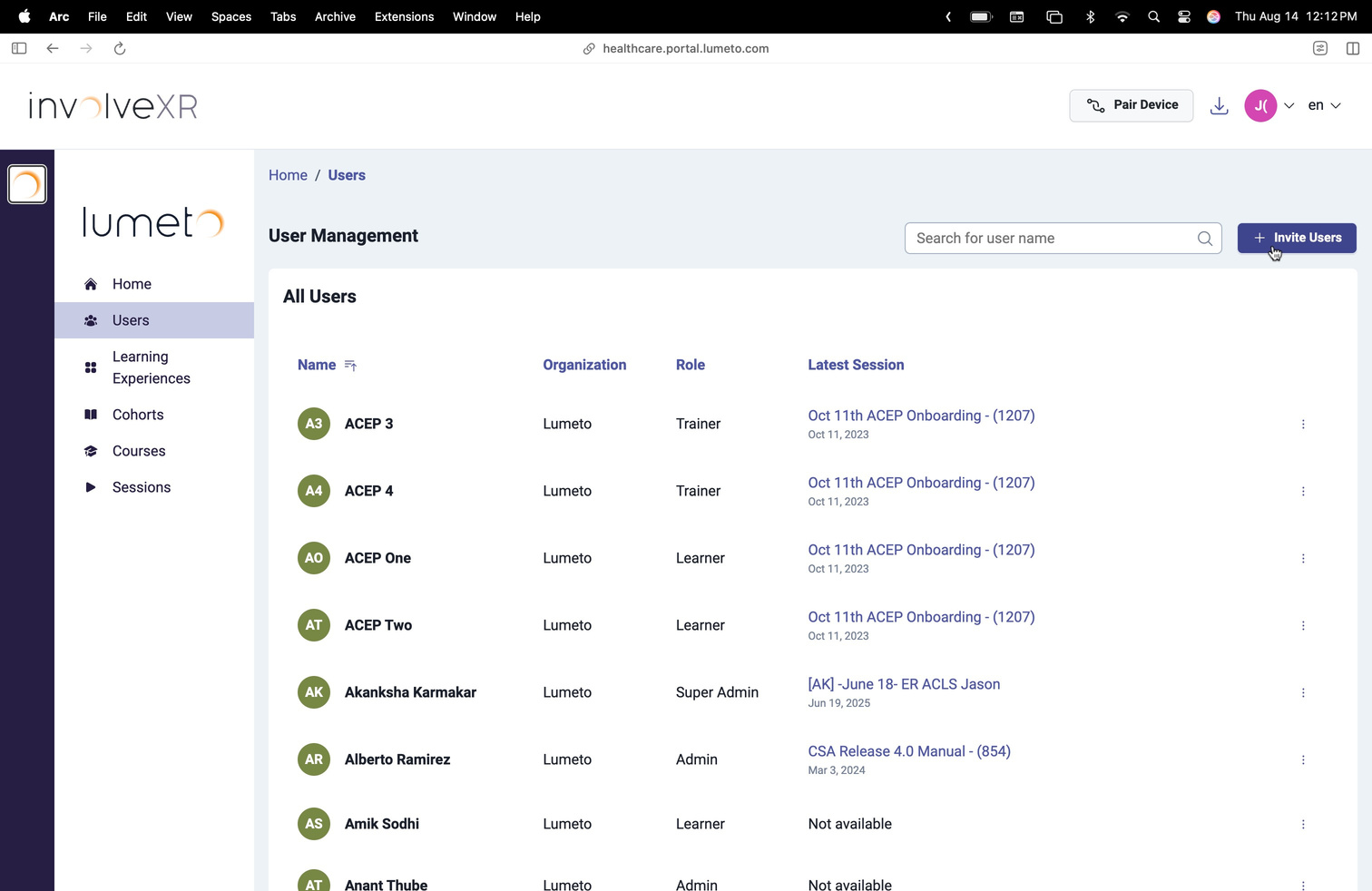
01Open the Users tab
Go to Users
Sign in to the Web Portal, then select Users in the left-hand menu. You will see everyone registered at your institution, plus any open invitations.
02Send an invitation
Updated
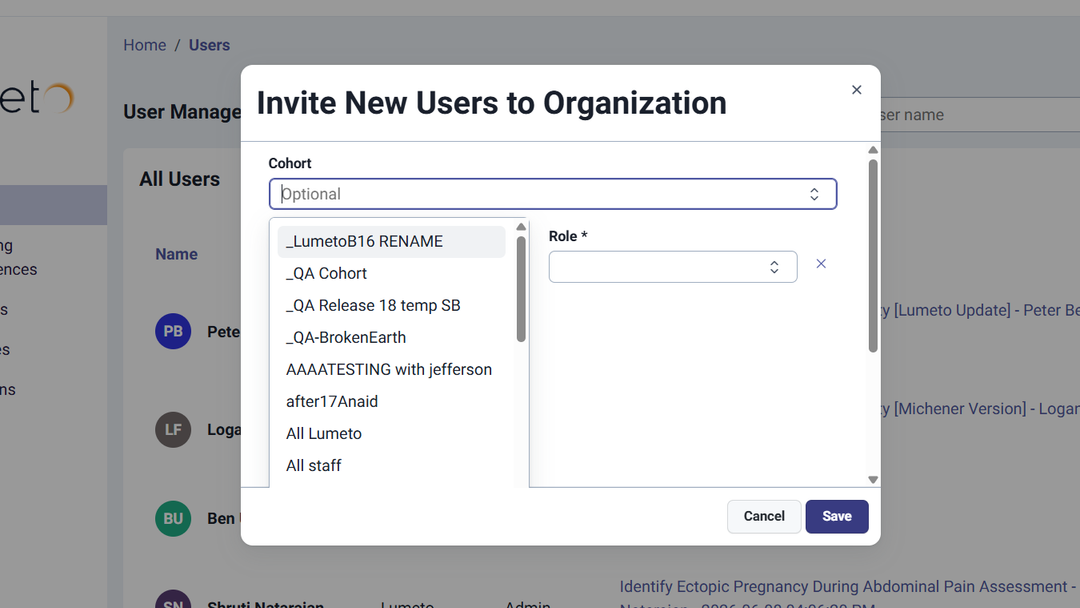
Invite new users
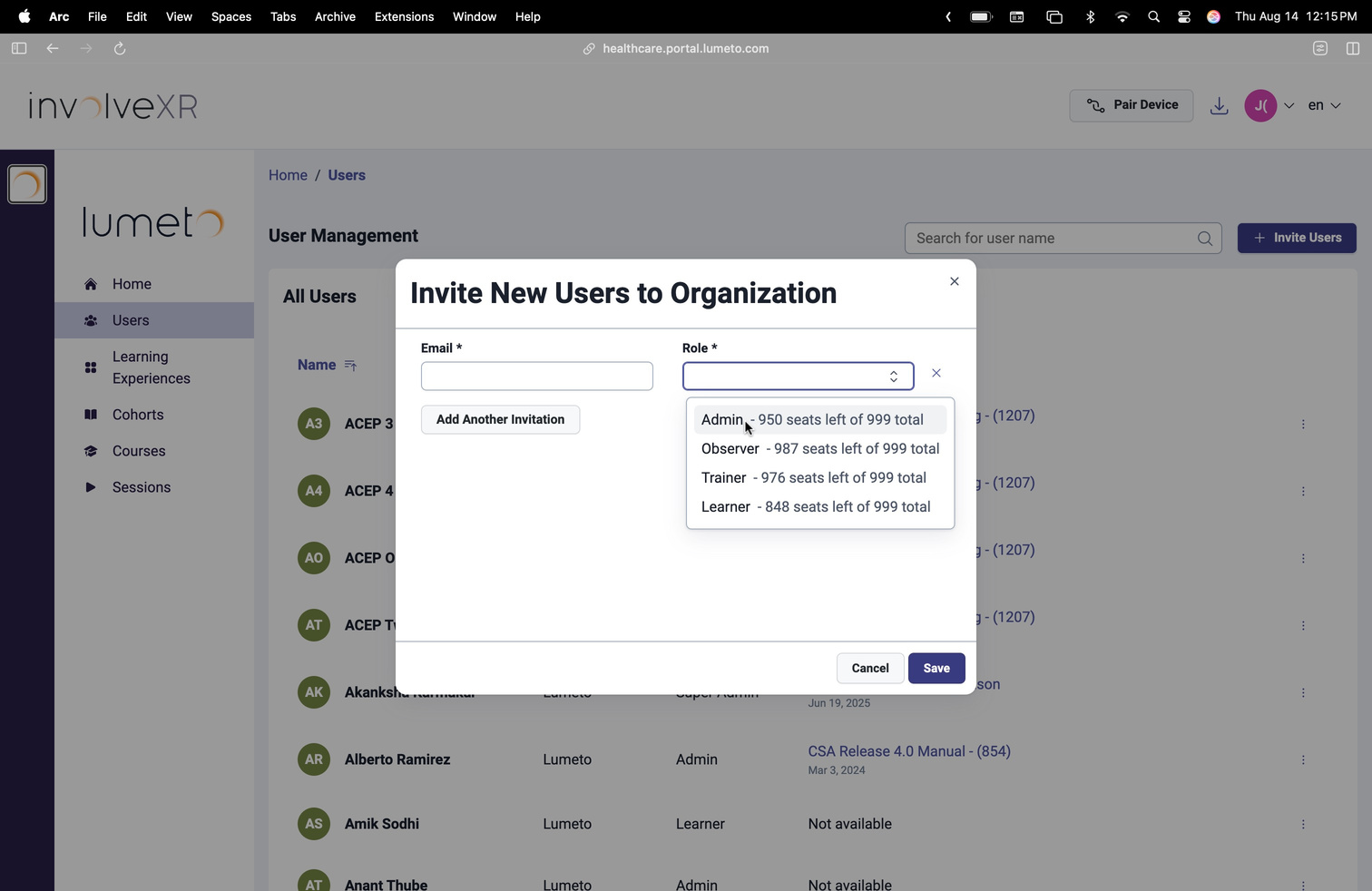
- Select Invite Users at the top right.
- Enter the person's email address.
- Choose their role: Learner, Trainer, or Admin.
- Optional: pick a cohort to add them to in the same step.
- Select Save.
What happens next
- The person gets an email with sign-up instructions and their invitation code
- If you picked a cohort, they're already in it. You don't need to add them separately
💡
Learners need help signing up?
Send them Creating your InvolveXR account.
03Choose the right role
The role decides what each person can do
Learner
Own resultsCompletes assigned self-directed, instructor-led, and screen-based lessons. Sees only their own results.
Trainer
Runs sessionsSchedules instructor-led and self-directed experiences, runs sessions in the OnScreen Trainer App, and reviews results and gives feedback.
Admin
Full accessFull access to users, cases, scheduling, and analytics. Can invite new users and manage roles.
👥
Your team is on its way.
Next, plan where your case takes place.
-1.png?width=150&height=66&name=Lumeto%20Logo%20Reverse%20Transparent%20(1)-1.png)