Beginner
What is InvolveXR OnScreen?
Lumeto's AI-enabled, high-fidelity simulations on a laptop or desktop. No VR headset needed.
01What it is
The full InvolveXR experience, on your computer
OnScreen is a fully featured desktop version of InvolveXR. You get the same scenarios, patient interactions, and learning outcomes as the VR app, all with a keyboard and mouse.

Learn your way
A good fit if you prefer a keyboard and mouse, have accessibility needs, or want to learn on your own device, wherever you are.

02When to use OnScreen
OnScreen is the right choice when
Use OnScreen if
- You or your institution don't have a VR headset
- You prefer learning with a keyboard and mouse
- Your instructor has assigned scenarios for you to complete on screen
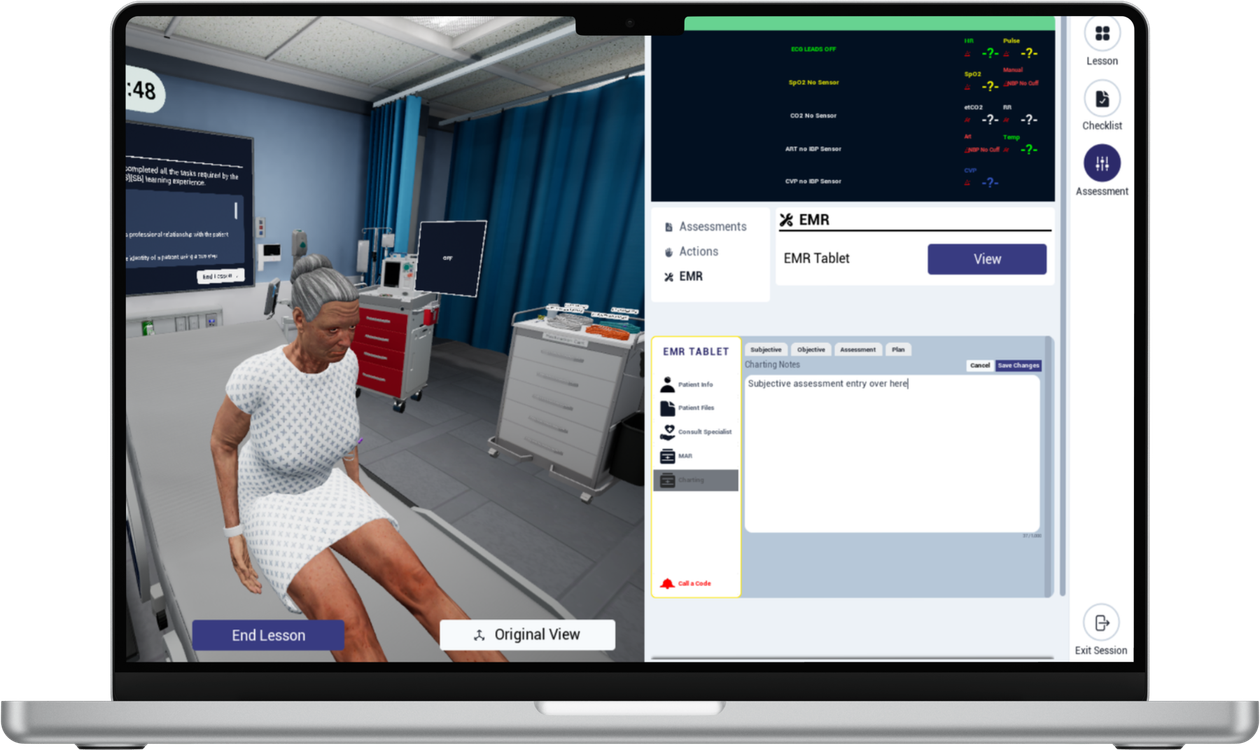
OnScreen
Laptop or desktopNo headset needed. Use a keyboard and mouse, from anywhere.
VR app
Meta QuestStep inside the scenario with a headset for the strongest sense of presence.
ℹ️
Mix and match
One session can include learners in VR headsets and learners on OnScreen at the same time.
03What you can do in OnScreen
Everything you need to practise
- Move through clinical environments
- Talk with AI-enabled patients
- Perform assessments and interventions
- Give medications
- Complete self-directed sessions at your own pace
- Review your performance and get feedback

💻
Ready to try OnScreen?
Set up the app and complete your first lesson.
-1.png?width=150&height=66&name=Lumeto%20Logo%20Reverse%20Transparent%20(1)-1.png)