Beginner
Reviewing results and analytics
Find session results, read the summary, and turn what you see into better training.
Release 18What's changed on this pageEverything new →
01Find results in the Web Portal
Updated
Sessions tab
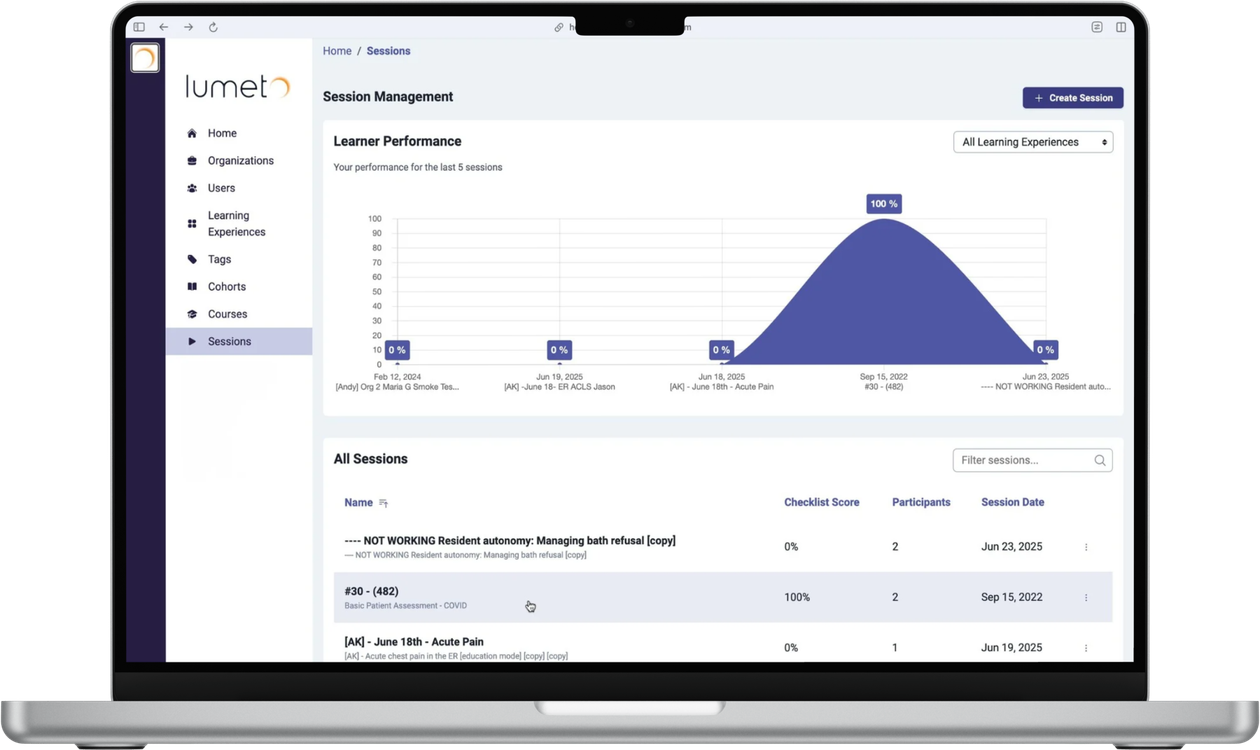
- Select Sessions in the left-hand menu.
- Choose the session.
- Filter by date, session name, checklist score, and more.
Each summary shows completion time, assessment outcomes, and feedback.
ℹ️
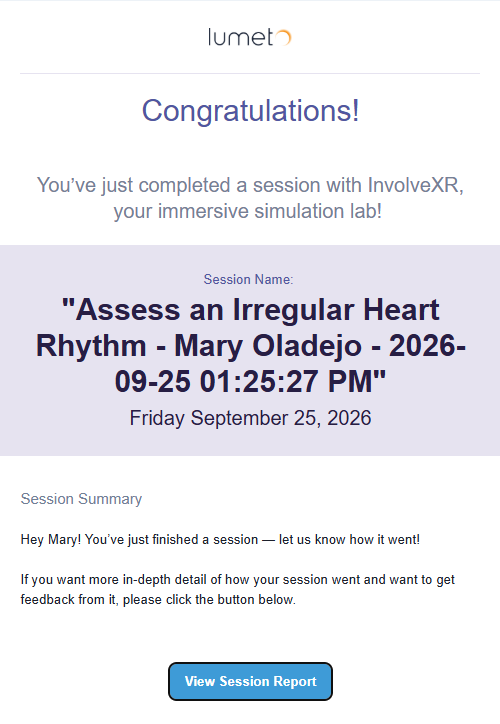
Learners get their own copy
When a self-directed session ends, the learner is emailed their session report automatically, in VR and screen-based sessions.
02Read the session summary
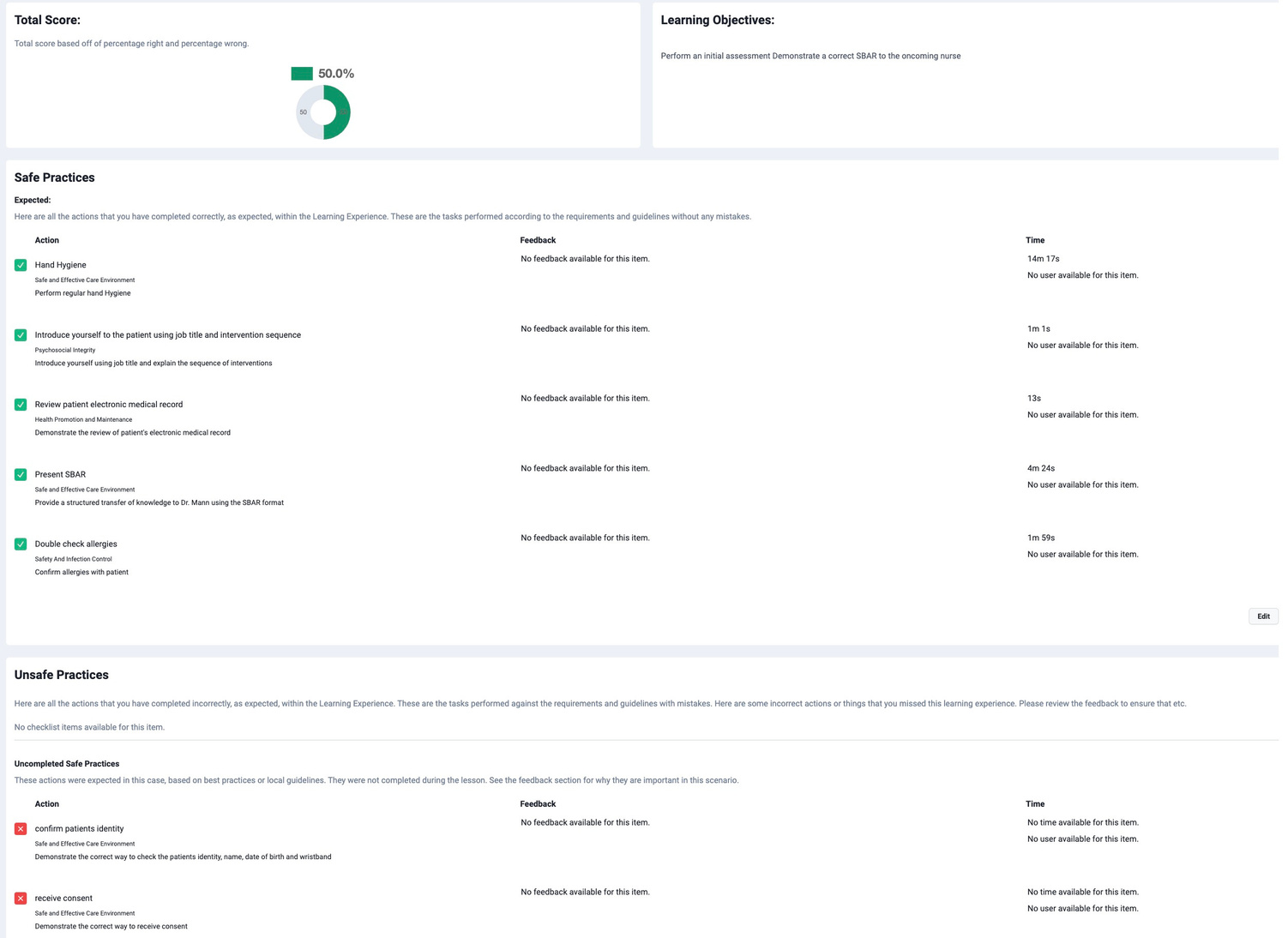
What each result includes
Timeline
Every learner action, in order.
Checklist results
What was completed, and what was missed.
Safe and unsafe practices
The critical moments, flagged.
03Use results to improve training
Turn data into action
Spot skill gaps
See where groups of learners struggle.
Tune your cases
Adjust content around frequent mistakes.
Coach individuals
Plan personal feedback or follow-up sessions.
Celebrate progress
Show learners how they've improved over time.
📈
You're reading results like a pro.
Put what you learned into your next case.
-1.png?width=150&height=66&name=Lumeto%20Logo%20Reverse%20Transparent%20(1)-1.png)