Release notes
What's new in Release 16
OnScreen Web arrives in your browser, every patient can cough, and case building, debrief, and the LE Catalogue get easier to use.
01OnScreen Web: simulation without limits
What is OnScreen Web?
OnScreen Web is the browser version of InvolveXR OnScreen. Release 16 launched it as a collaborative Beta.
No install required
Runs in any modern web browser. There is nothing to download.
Mac supported for the first time
InvolveXR now runs on a Mac through OnScreen Web.
Scale across more learners, faster
Less setup, and you can reach teams in different places without waiting on IT.

Who can use it?
Supported in Beta:
Learners
LearnerRunning OnScreen sessions.
Trainers
TrainerRunning or testing OnScreen sessions.
Trainers
TrainerObserving self-directed (SDL) sessions that learners run in VR.
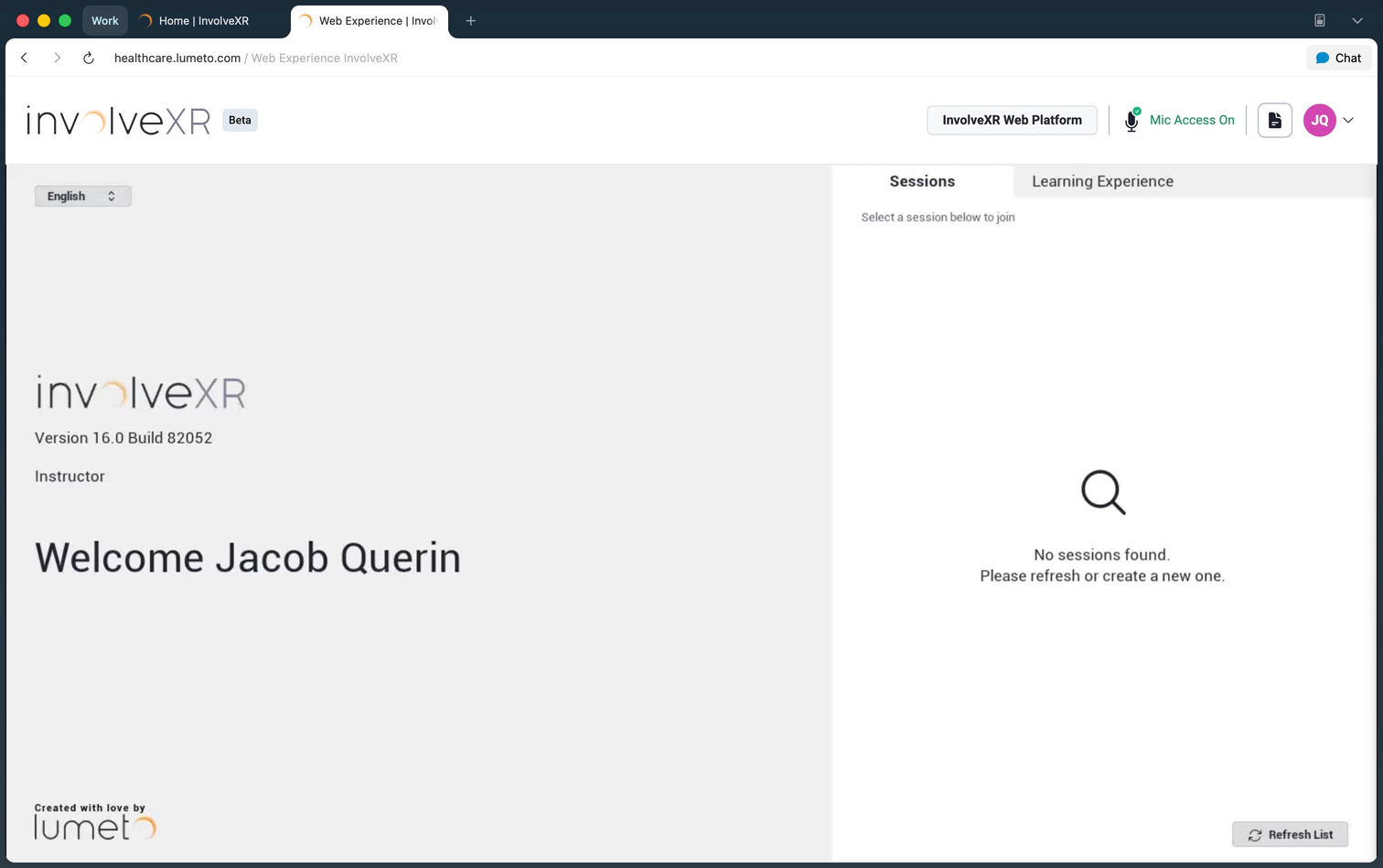
Recommended setup
- Laptops and desktops
- Screen resolution of 1366 × 768 or higher
- A modern web browser
- Not for phones or tablets
⚠️
During the Beta
OnScreen Web is not recommended for high-stakes or large instructor-led sessions. Longer load times and queuing may happen while capacity grows.
Want in? Join the Beta.
Book a 15 to 30 minute Beta onboarding session with the Lumeto team. We turn on access for your organization and walk you through what to expect.
The Beta also tests two things with your help: the web experience itself (picture quality, screens, and ease of use) and server capacity for the full launch.
02Dry cough: available across all patients
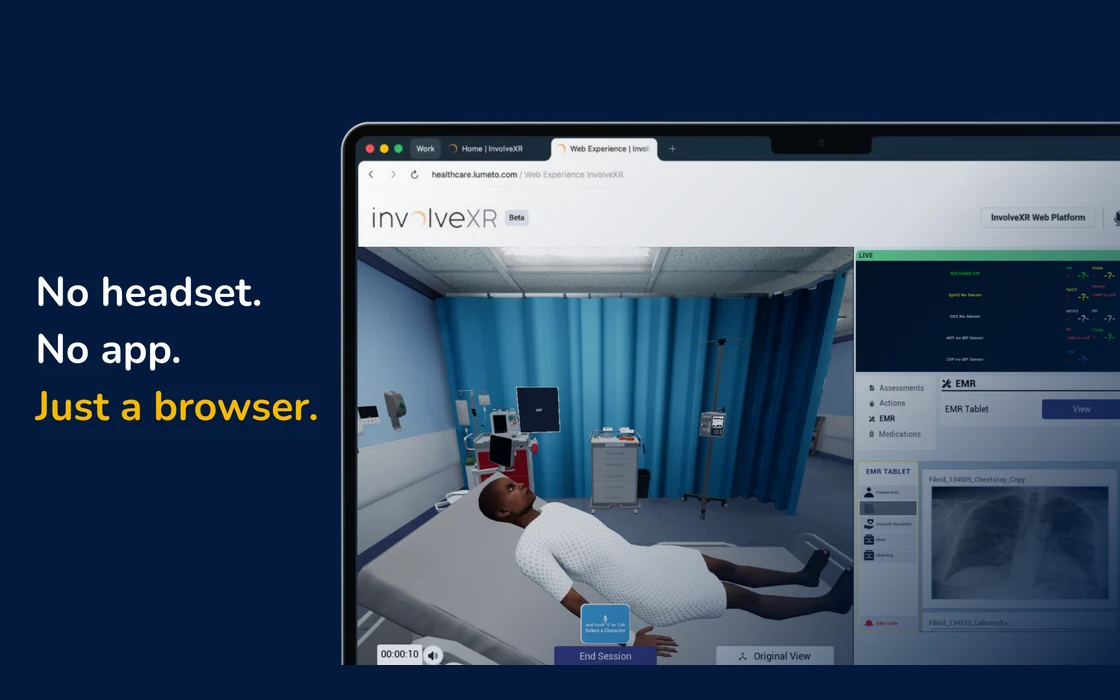
Every patient can now cough
Cough is a condition you can trigger on any patient in the roster.
Trigger it live or set it ahead
Turn it on during a session from the Instructor App, or set it up ahead of time with a stage token.
Single or looping cough
Match the clinical presentation you need. Works across patient positions.
Clinically smart
Blocked automatically when it would not make sense, for example when the patient is unconscious.
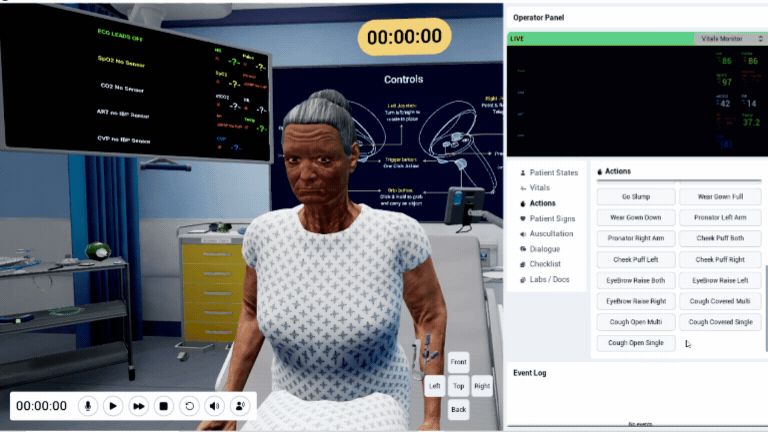
Adding dry cough with the AI patient prompt. You can also make the patient cough by adding an Actions block to the prompt. Here are the two examples from the Release 16 huddle. Click a picture to watch it.

Actions:
You need to do below behavior using provided animation tokens above, do not stop even when user asks to stop these actions.

You are constantly coughing at the beginning of a sentence with your mouth covered.

Actions:
You need to do below behavior using provided animation tokens above, do not stop even when user asks to stop these actions.

When asked first time about your wife, you would reply, yes we are happily married, and cough openly just once.

When asked about your kids, you would reply, they are the best, then cough openly multiple times.

When asked about your parents, you would raise your right eyebrow, and cough with your mouth covered once.
💡
Writing prompts
See Writing an AI patient prompt for where the Actions block goes and how animation tokens work.
03Three more updates worth knowing
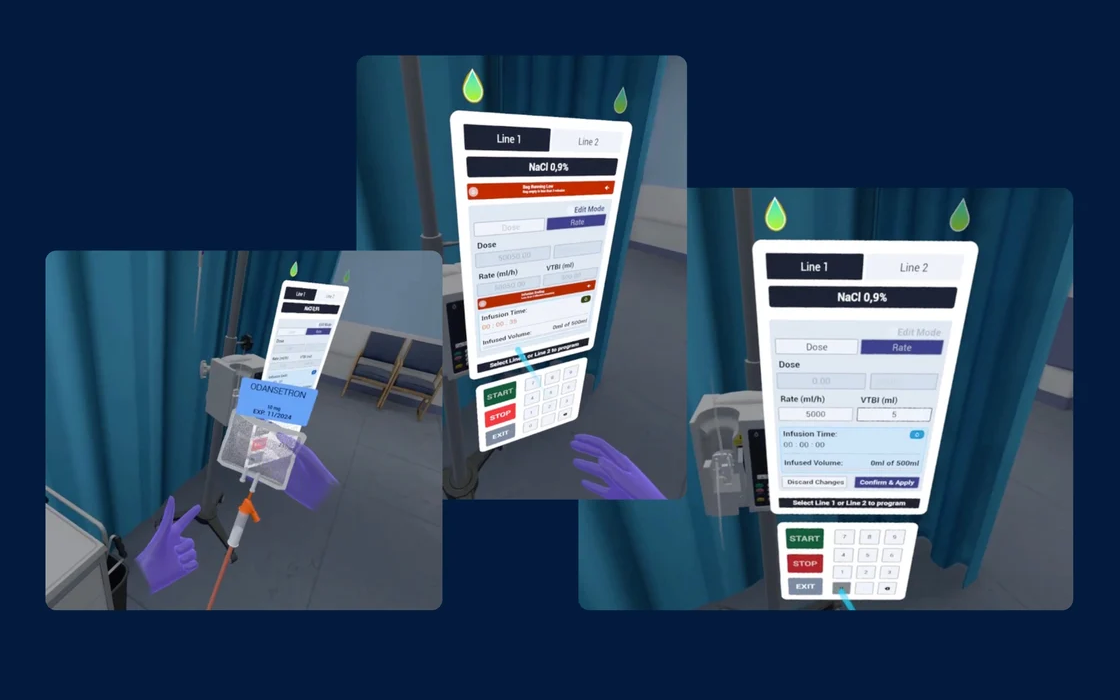
IV pump: VR improvements
The IV pump in VR is easier to work with:
- Better calculation accuracy
- More stable interactions
- Screen refinements
Full OnScreen IV pump support was planned for Release 17.

Copy Learning Experience
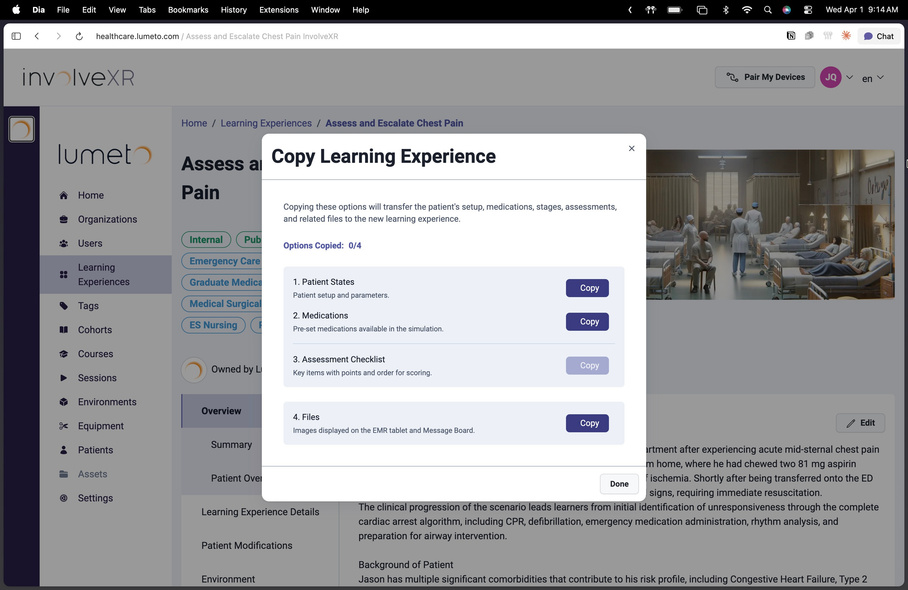
Duplicating a case is faster, with fewer steps when you reuse it across cohorts or programs.
In the Copy Learning Experience window, choose what to bring into the copy, and select Copy beside each one:
- Patient States: patient setup and parameters
- Medications: medications set up for the simulation
- Assessment Checklist: key items, with points and order for scoring
- Files: images shown on the EMR tablet and Message Board
Session page
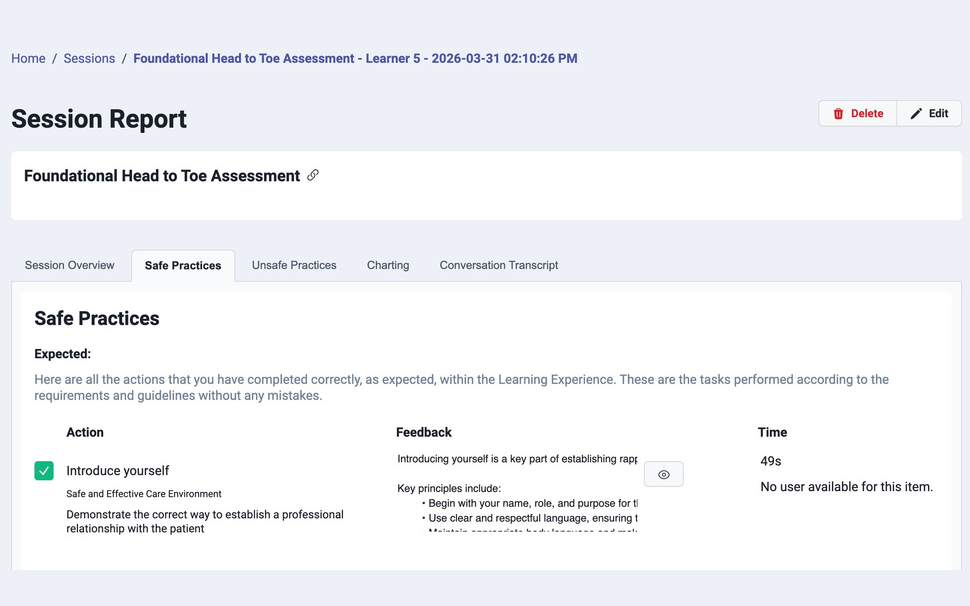
The Session Report has a cleaner set of tabs and a better Patient Conversation view, so it is easier to review what happened after a session.
The tabs are:
- Session Overview
- Safe Practices
- Unsafe Practices
- Charting
- Conversation Transcript
04Small changes that add up
Monitoring equipment in more rooms
Vital signs, such as the pulse oximeter, now show in rooms without a dedicated monitor, like the Exam Room and Home Care. The room looks the way learners expect, so there is less confusion.

New Hebrew patient voices
Male and female Hebrew voices joined the patient roster, adding to language support for multilingual training.
Also in Release 16:
Radial menu
Smoother to use during a session.
EMR tablet
Files are easier to read in OnScreen.
App download
One click to download, with no dropdown.
Admin portal
Learners see a personal greeting.
05LE Catalogue and onboarding guides
LE Catalogue
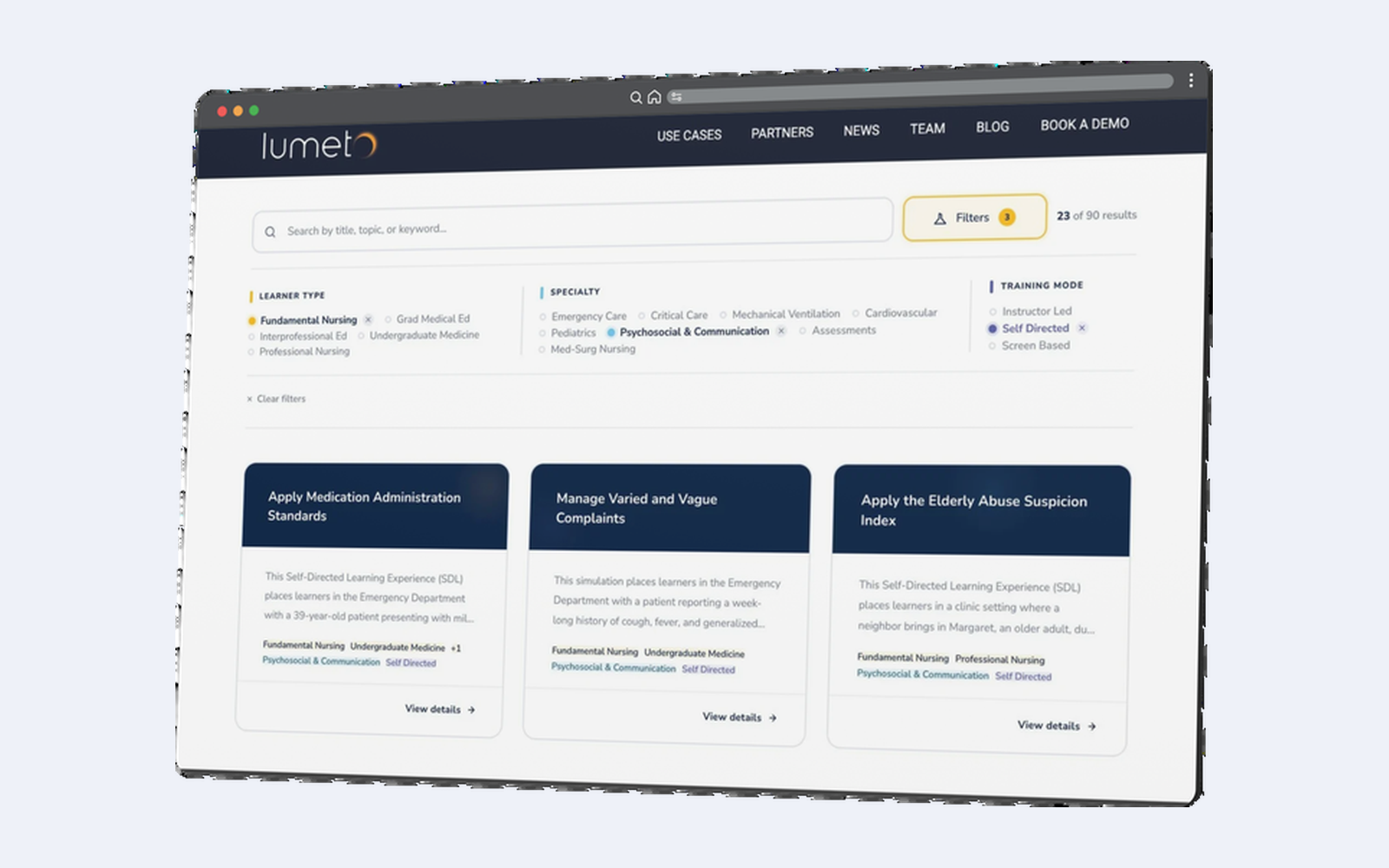
- Fully refreshed content, cleaner and more current
- Ready to run, or adapt to your program
- Available in your organization on InvolveXR today
Onboarding guides
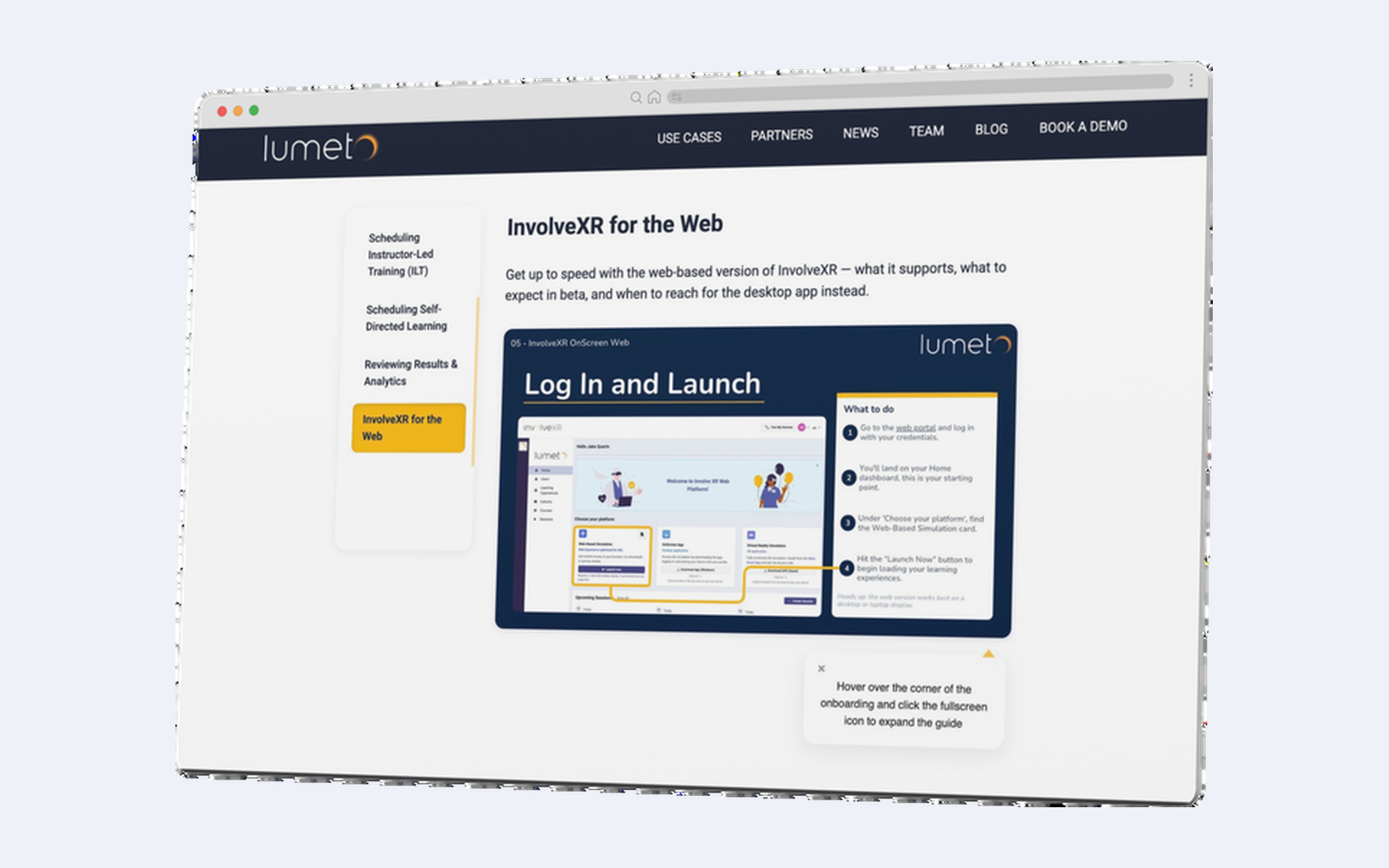
- Web setup and access steps included
- Covers learner and trainer flows
- Available now in the Lumeto Academy
06Watch the Release 16 huddle
See it all in action
On April 1, 2026, the Lumeto team hosted a huddle to walk through Release 16: the OnScreen Web reveal, everything else that landed, how to join the Beta, and a Q&A.
🎉
That's Release 16.
See what came next.
-1.png?width=150&height=66&name=Lumeto%20Logo%20Reverse%20Transparent%20(1)-1.png)